Hi,
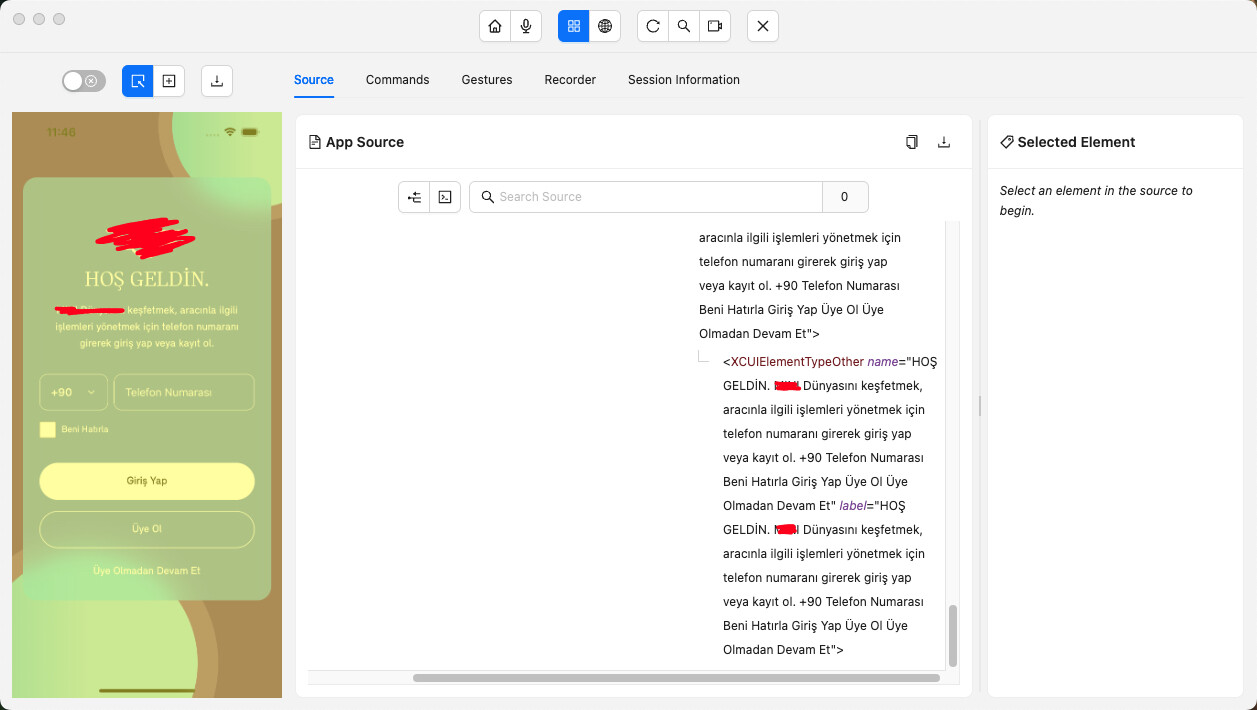
When I inspect my iOS app with Appium Inspector, the whole screen appears as a single XCUIElementTypeOther. I can’t see individual buttons or input fields, so tapping/locating elements separately is not possible.
Environment: iOS / Appium 3.0.1 / Inspector 2025.8.1 / XCUITest
Question:
Is there any Appium setting to fix this, or does the app need proper accessibilityIdentifier for each element? Any workaround besides coordinate tapping or image recognition?
I checked similar posts on the forum but couldn’t find a clear solution. Sometimes I’m redirected to GitHub issues, and from there back here again 
Thanks!