Hello Appium Team,
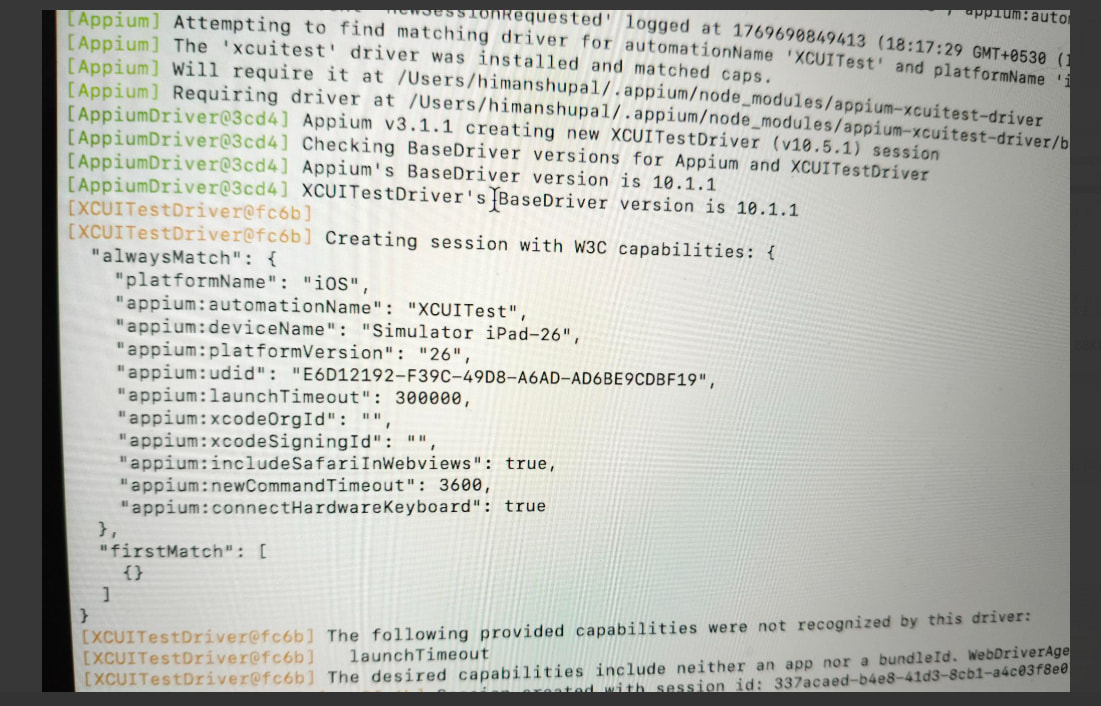
I’d like to report an issue observed while inspecting Dock folders on an iPad Simulator created from Xcode, using Appium Inspector with XCUITest.
Environment
-
Platform: iPadOS Simulator (created via Xcode)
-
Device: iPad Simulator
-
iOS/iPadOS Version: 26.1
-
Automation: XCUITest
-
Appium & Appium Inspector: Latest versions
Issue Summary
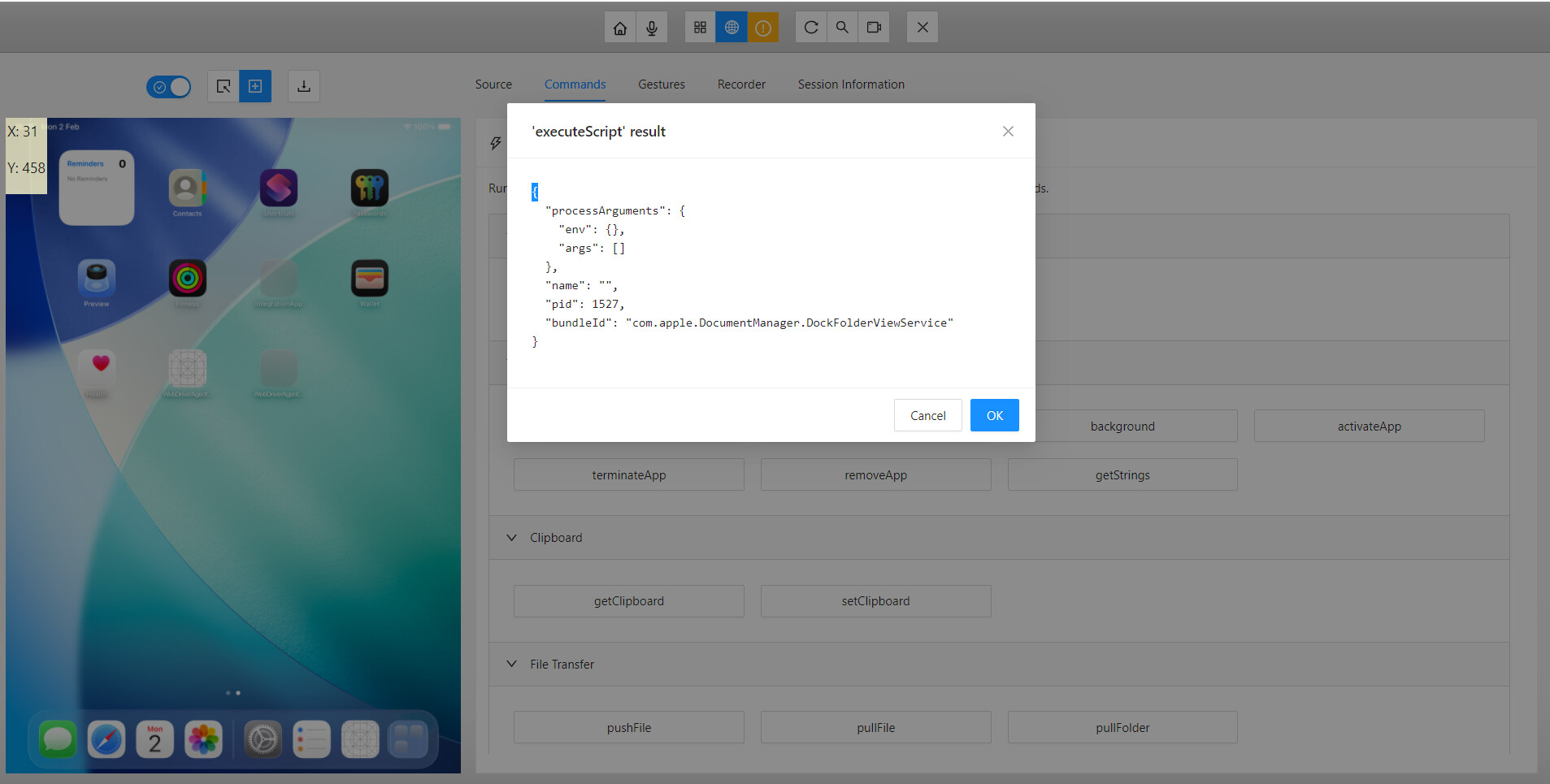
When opening a Dock folder on the iPad Simulator Home Screen, Appium Inspector identifies the root container as:
-
XCUIElementTypeApplication -
name = DockFolderViewService
However, the UI hierarchy under this node does not expose any actionable or semantic child elements, despite app icons being clearly visible in the UI.
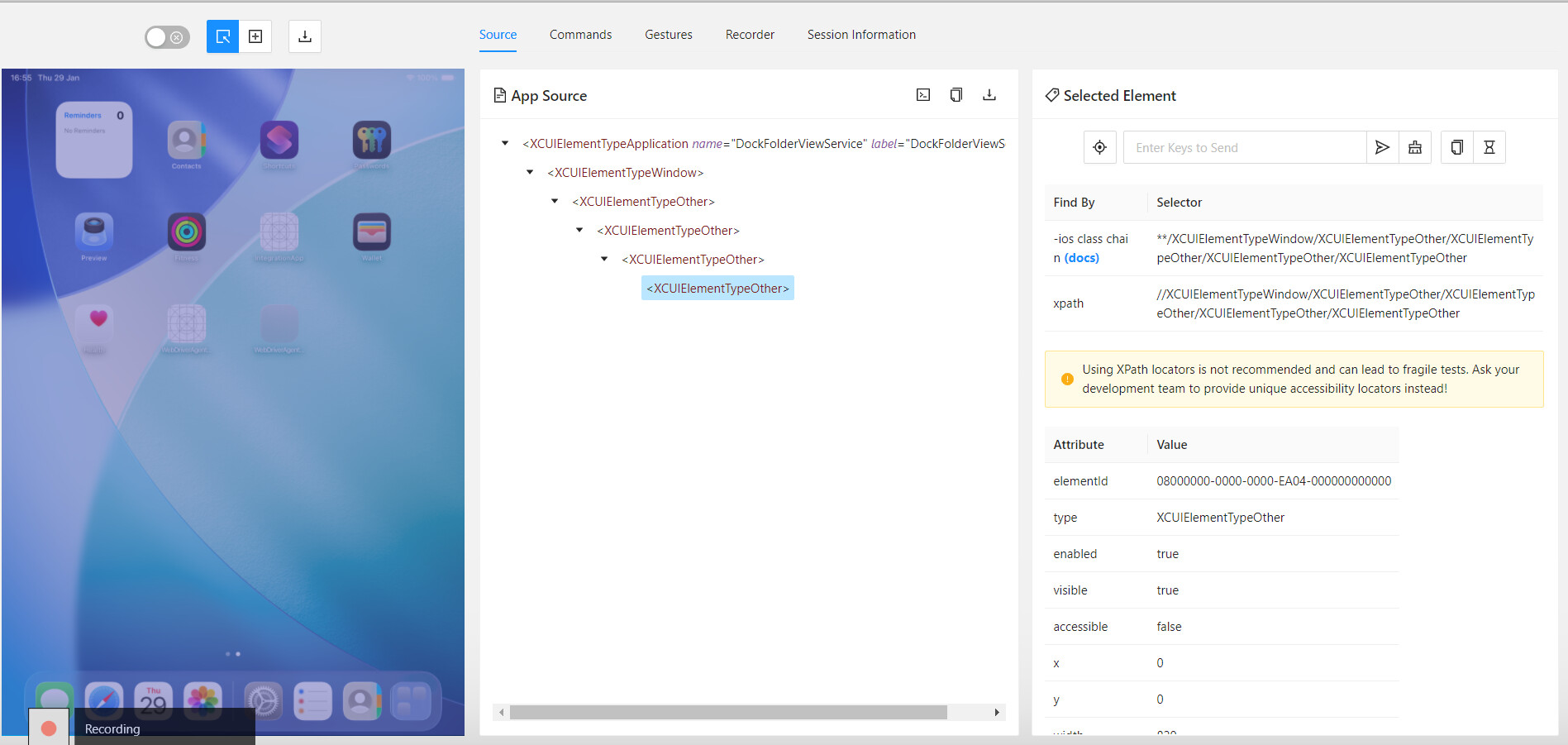
Inspector Observation (from attached screenshot)
The hierarchy expands only as follows:
XCUIElementTypeApplication (DockFolderViewService)
 └─ XCUIElementTypeWindow
     └─ XCUIElementTypeOther
         └─ XCUIElementTypeOther
             └─ XCUIElementTypeOther
                 └─ XCUIElementTypeOther
All child nodes:
-
Are
XCUIElementTypeOther -
Have
accessible = false -
Do not contain
name,label, or any identifying attributes -
Do not expose app icons as
XCUIElementTypeIconor similar elements
As a result:
-
Appium Inspector cannot show or interact with individual app icons inside the Dock folder
-
XPath and iOS predicate locators only match anonymous container nodes
-
Standard automation is blocked without coordinate- or image-based workarounds
Questions
-
Is this a known limitation of WebDriverAgent / XCUITest on iPadOS, specifically for
DockFolderViewService? -
Is this behavior by design in SpringBoard accessibility on iPad, or a potential WDA gap?
-
Are there any recommended capabilities or approaches to surface Dock folder icons on iPad simulators?
Any guidance or confirmation would be greatly appreciated.
Best regards,
Himanshu Pal